Structured alternative
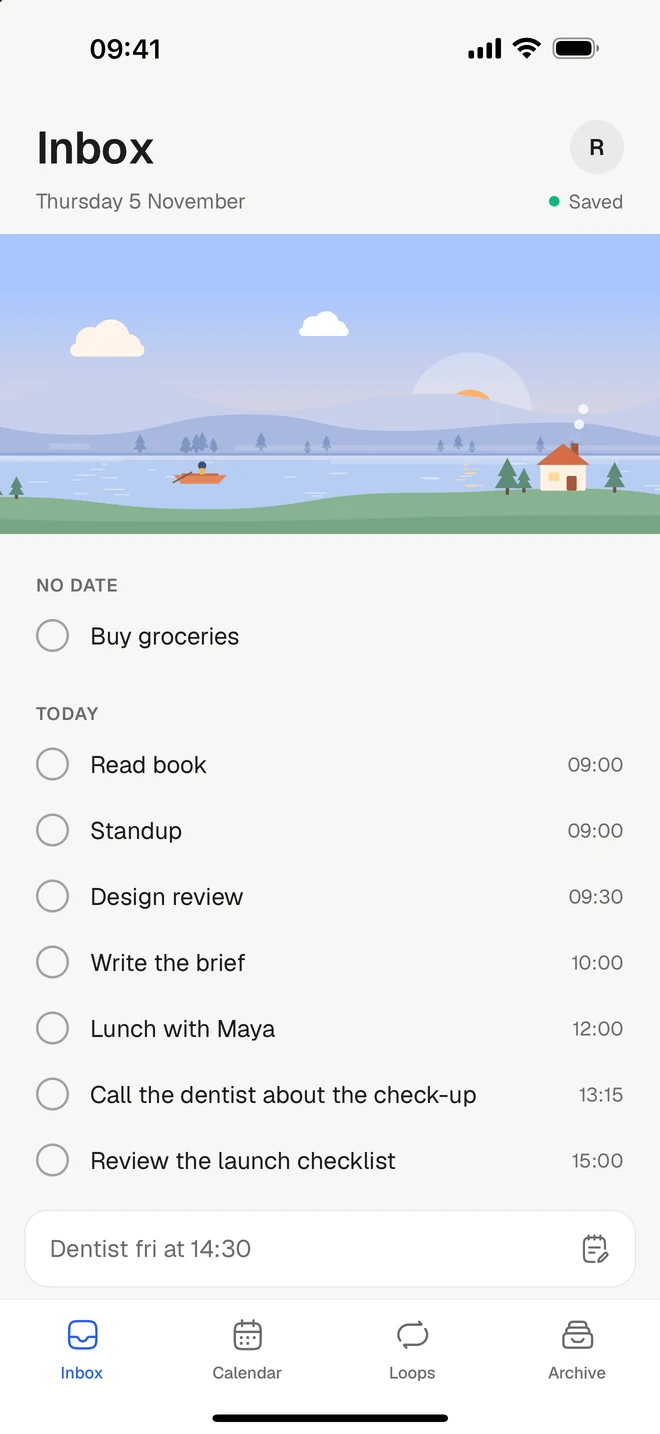
Structured plans your day on an hour-by-hour timeline. Tickleaf is a calm list instead: give a thing a day, and a time only if it needs one, with your calendar beside it.
Free to start. Checked against Structured’s own pages on Monday 9 November 2026.

The short version
Stay with Structured if
- You like seeing your whole day as a timeline, block by block
- You plan with AI, from text, your voice or a photo of a paper planner
- You use an Apple Watch, CarPlay or the Energy Monitor every day
Try Tickleaf if
- Most of your tasks need a day, not an hour, and a timeline feels too tight
- You want repeating things on the free plan, as loops
- You want routines that walk you through steps, with a sound to work to
Side by side
Structured’s column comes from their own website, checked on Monday 9 November 2026. If something has changed, write to hello@ketryon.com and we’ll fix it.
| Feature | Tickleaf | Structured |
|---|---|---|
| Platforms | TickleafiPhone, Android, Mac and the web | StructurediPhone, iPad, Mac, Apple Watch, Android and the web |
| Price | TickleafFree. Plus is 39 kr a month or 299 kr a year, with 14 days to try it | StructuredFree. Pro is sold monthly, yearly or once, priced in the app stores |
| Type it the way you’d say it | TickleafYes. “Dentist fri at 14:30” gets its day and time | StructuredIn beta on Apple devices. Structured AI is Pro |
| A calendar beside your tasks | TickleafYes. Your Google Calendar alongside, with Plus | StructuredYes, on the timeline. Calendar import is Pro |
| Reminders | TickleafYes, on the web and Mac. On your phone with Plus | StructuredYes, at a task’s start and end by default. Customising them is Pro |
| Things you repeat | TickleafYes. Loops, with no streaks to break | StructuredRecurring tasks, with Pro |
| Routines, one step at a time | TickleafYes | StructuredNot mentioned on their pages |
| A timer on the lock screen | TickleafYes, on iPhone and Android | StructuredYes. Pomodoro and Deep Focus on iPhone, iPad and Mac |
| Home and lock-screen widgets | TickleafYes | StructuredYes |
| Projects, priorities and labels | TickleafNo, on purpose | StructuredA timeline and an inbox, with colours and icons |
| Shared lists | TickleafNo | StructuredNo. Their help pages say it’s being worked on |
Sources: Notifications, Structured, Pro, Calendar import, Focus timer, Sharing, Import and export. Checked Monday 9 November 2026.
What’s different
A day, not an hour
Give it a day.
Most things don’t need a slot. In Tickleaf, “Pay rent fri” just gets its Friday. Add a time when it matters, and it lands in your calendar.
Loops
Repeating, on the free plan.
Every day, every other Tuesday, the 1st. Loops are free, and their weeks fill in as you go, with no streak to break.
Routines
One step at a time.
Give a loop steps with their own minutes and press Play. Tickleaf walks you through them on the lock screen, with a sound to work to.
Moving over
There’s no big move to plan. Most people start like this.
- 1Write down todayStructured says tasks made in it can’t be exported to other apps, so keep it open beside you and write today’s tasks into Tickleaf. Structured’s guide.
- 2Bring what you repeatAdd the things that come back as loops: every day, every other Tuesday, the 1st.
- 3Let the rest waitAnything without a day waits in your Inbox until you give it one.
Questions
- Is Tickleaf free?
- Yes. Every view, quick add and loops are free on every device. Plus is 39 kr a month or 299 kr a year, with 14 days to try it.
- Does Tickleaf have a timeline?
- It has a calendar with day, week and month views, where tasks with a time sit beside your Google Calendar events (with Plus). Most of your list doesn’t need a time at all.
- Can I bring my Structured tasks over?
- Not automatically. Structured says its tasks can’t be exported, so the easiest start is today’s tasks, written straight into Tickleaf.
- Is there an Android app?
- Yes. Tickleaf is on Google Play, and your tasks are the same on iPhone, Mac and the web.
Last checked Monday 9 November 2026. Structured is a trademark of its owner. This page is ours, not theirs.